How to Sign In on Jio Sphere App to Start Earning
Hello guys, In this post, we’re going to see how you can earn money on the Jio Sphere app simply by searching for something, watching videos, or using other features.
Important note:
The app download link is below. Install it and then follow the instructions as I mentioned.
Okay guys, first, we need to download and open the Jio Sphere app. It’s available on the Play Store, so you can easily install and open it. Once you install and open it, its home page and interface will look like this. Here, you can see that they have provided all kinds of apps and websites that you might need. For example, if you are someone who shops a lot or places many orders online, they have provided all the shopping websites you need, like Amazon, Flipkart, and Meesho.
Below that, they have provided all kinds of social media platforms for entertainment, like YouTube and Facebook. Further down, you can find matches, trending news, notices, and broadcasts. They have provided all the necessary apps, websites, and features that we need. This app is just like a regular browser. It is a browser, but you can also earn money with it.
That is, depending on how much you use this browser, how much time you spend on this browser, and how long you are engaged with it, this app gives you money. That money is given as Jio Coins. So you can use those Jio Coins in many ways. You can use them in many different ways. You can do many things using them. But to earn money like that, you first need to sign in to this app.
How to Sign In and Start Earning
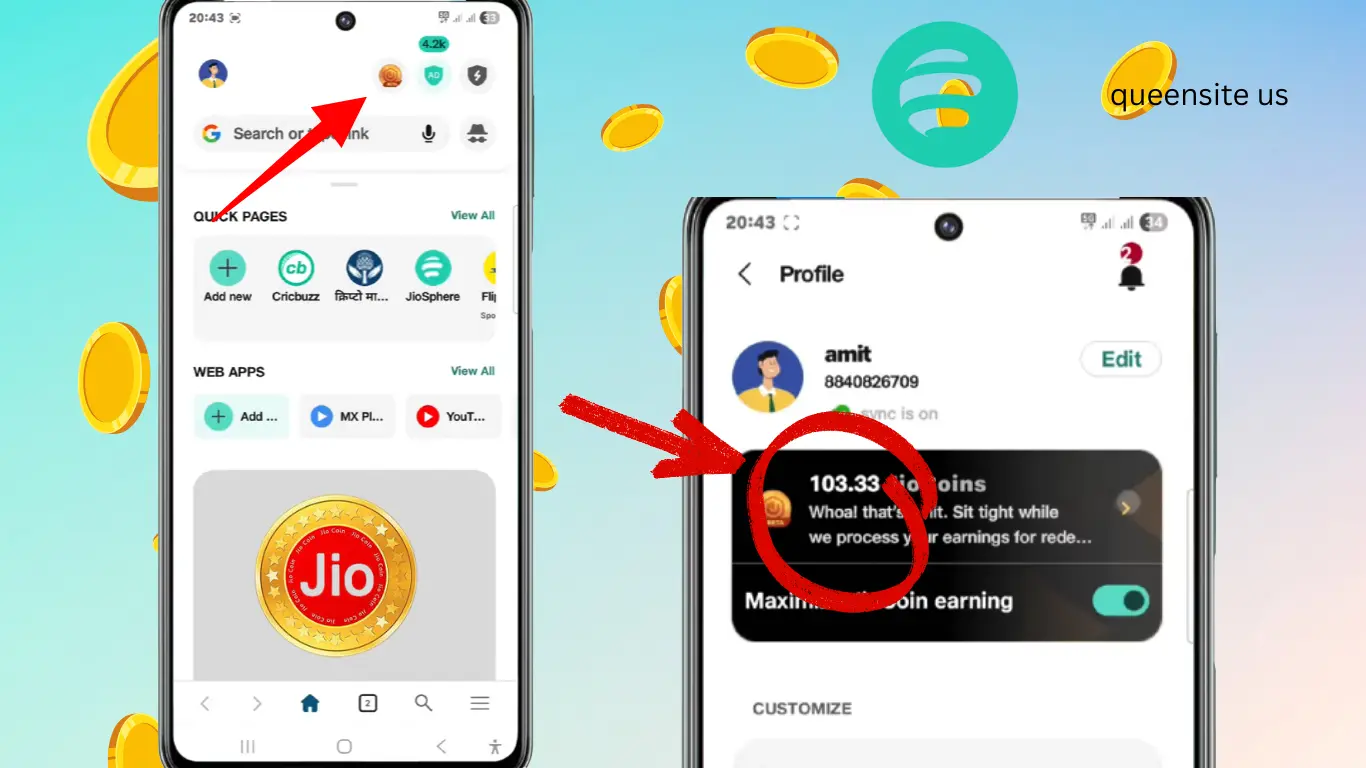
Only after you sign in will you be able to earn money with this app. Let’s first see how to sign in. To do that, look at the home page; you see a search bar there, like the Google search bar? On the top right side, you’ll see a profile-like logo. You need to click on this to sign in. So I’m going to click on it now. After clicking on it, you’ll see a ‘Sign In’ option. Above that, you’ll see an option called ‘Ready to unlock rewards.’ So let’s click on this first.
Below that, you’ll see an option called ‘Sign in to earn.’ That means we can only earn money here after signing in. So that’s why they have given the “Sign in to earn” option. So, let’s sign in now. As soon as we click on sign in, the first thing they ask us is our mobile number. We can only sign in to this app by providing our mobile number. We cannot sign in using anything else.
So first, we need to provide our mobile number. After providing the mobile number, you will receive an OTP to the number you provided. Once you enter that OTP, that’s it; your work is done. After that, you can start earning money. Because as soon as you enter the OTP, your account will be activated, and your ID will be activated. After that, your account will be signed in. So, from that point onwards, they will give you money based on how long you use this app and how you use it.
So first, let’s sign in. For that, I’m going to enter my mobile number. So I have entered my mobile number. Now, after I’ve finished entering my mobile number, you can see an option below that says “Generate OTP,” right? Once you click this, you will receive an OTP. We need to enter that correctly.
Now I have clicked on “Generate OTP.” After clicking, we will receive an OTP; let’s wait a moment. So we have received the OTP; let’s enter it now. So I have finished entering the OTP. After entering it, what they show us next is our dashboard. They will show the balance of how many Jio Coins we have.
So, once you finish entering the OTP like this, your work is done. From now on, your job is to earn money. What you need to do is spend a lot of time on this app. You need to do everything you need using this app. If you do that, they themselves will give you a lot of money, that is, in the form of Jio Coins. They will give that money as Jio Coins.
Now, as you can see, we have finished signing in, and our ID has been activated. Now look at what they have shown here: 0.00 Jio Coins. That is, this is my current balance, because I have just downloaded this app, opened it, signed in, and activated my ID. So, as I use it more, my Jio Coins will increase.
So, as these Jio Coins accumulate, we can do many things with them. If you look at the worth of these Jio Coins, the rate of one Jio Coin is currently 21 rupees. That is, the rate of one Jio Coin in rupees is 21 rupees. So, as you collect more Jio Coins, you can use them in many ways.
For example, you can recharge your phone; you can recharge using these Jio Coins. And then, you can redeem them. How else to explain it? For example, in the Play Store, some games and books require payment to use them. So, you can even use these Jio Coins to pay for and use such apps.
So, you can use Jio Coins in many ways. You can even convert them into rupees. So, using Jio Coins to pay for many things will be very useful for you. They are giving you this money just for browsing. Besides that, if you go back to the main screen, you will see your profile displayed like this.
Here, you can even edit your profile; if you look at the top, you’ll see an “Edit” option. So, by clicking on that, you can edit your profile. Not only that, but you can also customize this browser to your liking. That is, if you want to change the language, do you see that “App Language” option? Using that, you can change the language of this app. They have provided all the necessary languages. So, you can click on whichever language you want.