How to Download TN Mark Sheets & Certificates Online
Hello friends, today we are going to look at some super important information. That is, how to download your 10th, 12th, and 11th mark sheets, and also how to download lost income, residence, and caste certificates online.
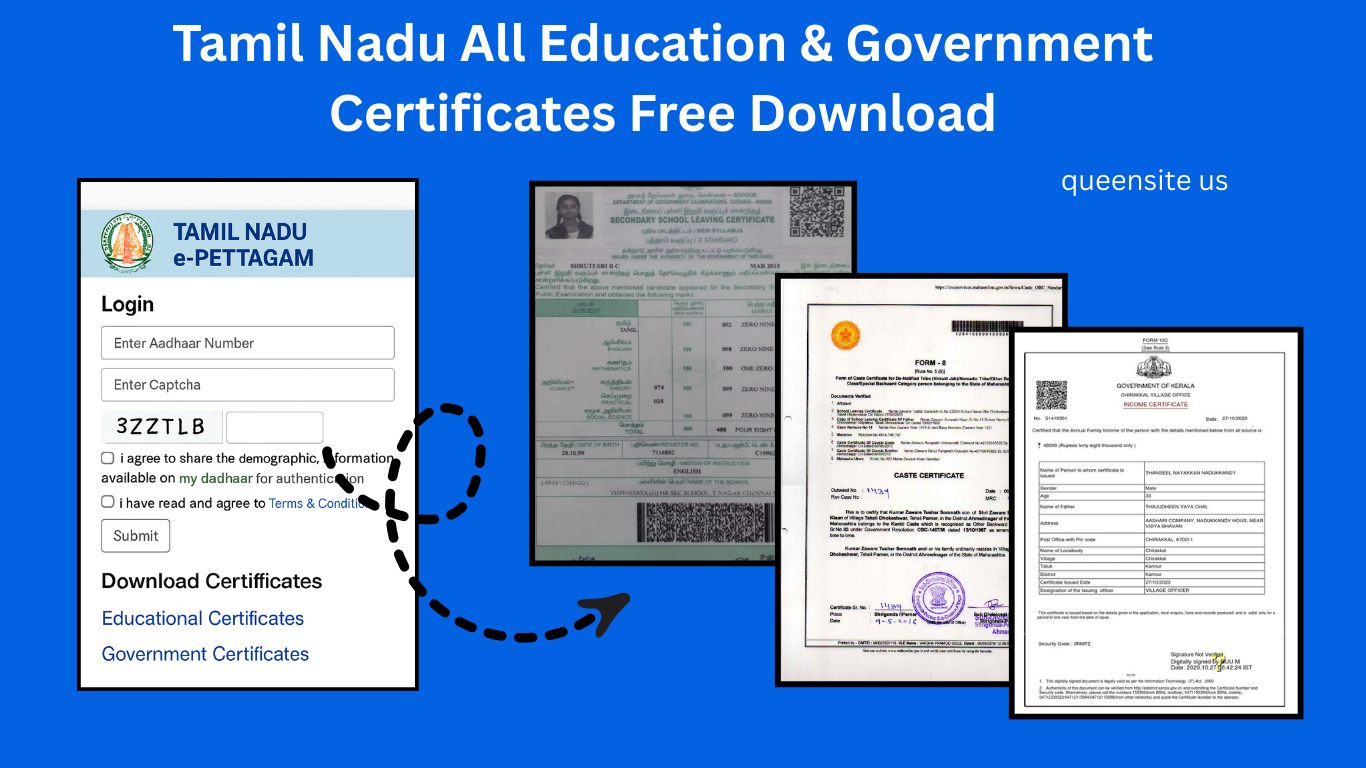
First, open this website. I have provided the link to this website below: epettagam.tn.gov.in. This is the official website. Okay, you are going to download your certificates from this website. First, they have asked for the Aadhaar number. Enter your Aadhaar card number correctly. The Aadhaar number of the person whose certificate you are downloading.
Next, a captcha is given; type the captcha code exactly as it appears. After typing, there are two terms and conditions given below; check them and then click on the ‘Submit’ option below. An OTP will be sent to the mobile number linked to your Aadhaar. This service can only be used if your mobile number is linked to your Aadhaar. So, type the OTP you received exactly as it appears. Okay, after typing, click on the ‘Submit’ option given below. A message like “Login Successful” will appear. After clicking OK, the dashboard will open. In this section, they have provided educational certificates, specifically 10th and 12th mark sheets, right at the beginning.
Next to that, you can download your government certificates—income, nativity, community certificates, etc. Now, after clicking ‘Add New’ in the education section, you can obtain the diploma certificate. Similarly, you can get a Diploma in Pharmacy certificate. Options to download mark sheets, such as 10th, 11th, and 12th mark sheets, have been provided for you.
There’s a disclaimer here: if you passed after 2016, you could get your certificate. For those who passed before that, they have stated that they are working on it and will update it soon. You could download it if you passed after 2016.
Okay, now if you want to download your 12th mark sheet, select the ‘TN State Board 12th’ option, and where it says, ‘Enter Roll Number,’ enter your 12th registration number exactly as it appears on your mark sheet. Next, your name has automatically appeared in ‘Enter Your Name,’ so you don’t need to enter it. They have asked for the year of passing. Enter the year in which you passed your 12th grade. Leave the Certificate Type as Regular.
Anchor text: “Check our detailed guide on maternity health insurance in India.”
Next, they have asked for the date of birth. Enter your date of birth exactly as it appears on your mark sheet. Then, they asked for the Month of Passing. Enter the month in which you passed your 12th grade. After that, tick the ‘I agree to the terms and conditions’ option and click on the ‘Submit’ button. It will load like this, so it will take some time; please wait patiently. It might take a while.
After waiting, you will see a message like ‘Certificate has been fetched successfully,’ and your mark sheet will open. All the information will be provided, and it is digitally signed. If you click ‘Proceed to Secure Data,’ your documents will be fetched automatically, and you will be taken to the certificate options. You can go to ‘My Documents’ and view your documents. Once added, you can log in and access them anytime.
Okay, this is how you can view your mark sheet. Similarly, you can view your 10th grade mark sheet as well. Once you add them, these documents related to your education certificates will be visible whenever you view them. Similarly, under ‘Our Services.’. You can download your 10th mark sheet, 12th mark sheet, 11th mark sheet, Diploma in Pharmacy, and all such documents and mark sheets. Specifically, this service is available for documents issued after 2016.
Similarly, to download the Tamil Nadu Government certificates for income and nativity, go there and look at the ‘Add New’ option given below. After you click on that option, it will again ask for your Aadhaar number. You will have to enter your 12-digit Aadhaar card number there; enter it. After entering it, look at the captcha given below, enter the captcha code, and then click on the ‘Submit’ option. You will receive an OTP on the mobile number linked to your Aadhaar. So, just type the OTP you received. This service is only possible if your mobile number is linked to your Aadhaar card.
Anchor text: “Explore Tamil Nadu savings schemes for financial planning.”
After entering the OTP and submitting it, you will see that the OTP has been verified. After clicking OK, it will ask you to choose the type of services you want. Just click on the ‘Select All’ option and then click on the ‘Submit’ option. So, all the certificates available there will open for you.
Download TN Income, Nativity & Caste Certificates Online
Important information: Only the latest certificates with photos, like those available in e-Sevai, will open; old certificates will not open. Only the certificates starting with ‘TN’ that come with a photo will open. Okay, look, it will open up like this for you if it’s a caste certificate; the caste certificate will open. If it’s a nativity certificate, the nativity certificate will open. If you applied for OBC, the OBC certificate will appear, or a legal heir certificate, and so on. There are numerous documents like this. You can view all these documents here.
After you click on the ‘Proceed to Secure Data in Blockchain’ option, your certificate data will be displayed. After you tick the ‘I Confirm’ option and then tick the ‘Secure Your Data on Namakkai Inaiyam’ option, your certificate will open on the dashboard. I have already added it, so it shows that it has been added. Add all your certificates in this manner. Once added, you can go to the ‘My Documents’ page on the dashboard and view your documents.
Now, if you go to ‘My Documents’ and click on the Tamil Nadu Government Certificates section, it will load, and all your certificates will open like this. You can view them anytime. Similarly, if you add your education certificates, you can log in and access your educational document certificates as well. This is how you can obtain all your documents through this website. So, you can obtain all e-service certificates like income, nativity, and community certificates. Similarly, they have introduced an option through this website to obtain documents such as mark sheets for 10th, 12th, and 11th grades, as well as the mark sheet for the Diploma in Pharmacy.
Important Notes for TN Certificate Download (After 2016)
So please note that regarding mark sheets, they have been updated on the website only after 2016. If you need to do it for earlier years, apply for a reprint. So, if your 10th or 12th mark sheet is lost, if you apply for a reprint, the mark sheet will be delivered to your home. Similarly, to download your certificates of income, nativity, and community, you must have correctly provided your Aadhaar card number in the CAN number. Furthermore, you can only download certificates that start with ‘TN’ through this online method.
So, if you know the income, nativity, or community certificate number, you can download your certificate yourself through the open portal. Those who don’t know the number can download their income, residence, and caste certificates through the e-Petagam website.
It is definitely a good website, but the website will be a bit slow because the server load is high. So, if you wait patiently, you can get all the information you need. Thank you and goodbye.