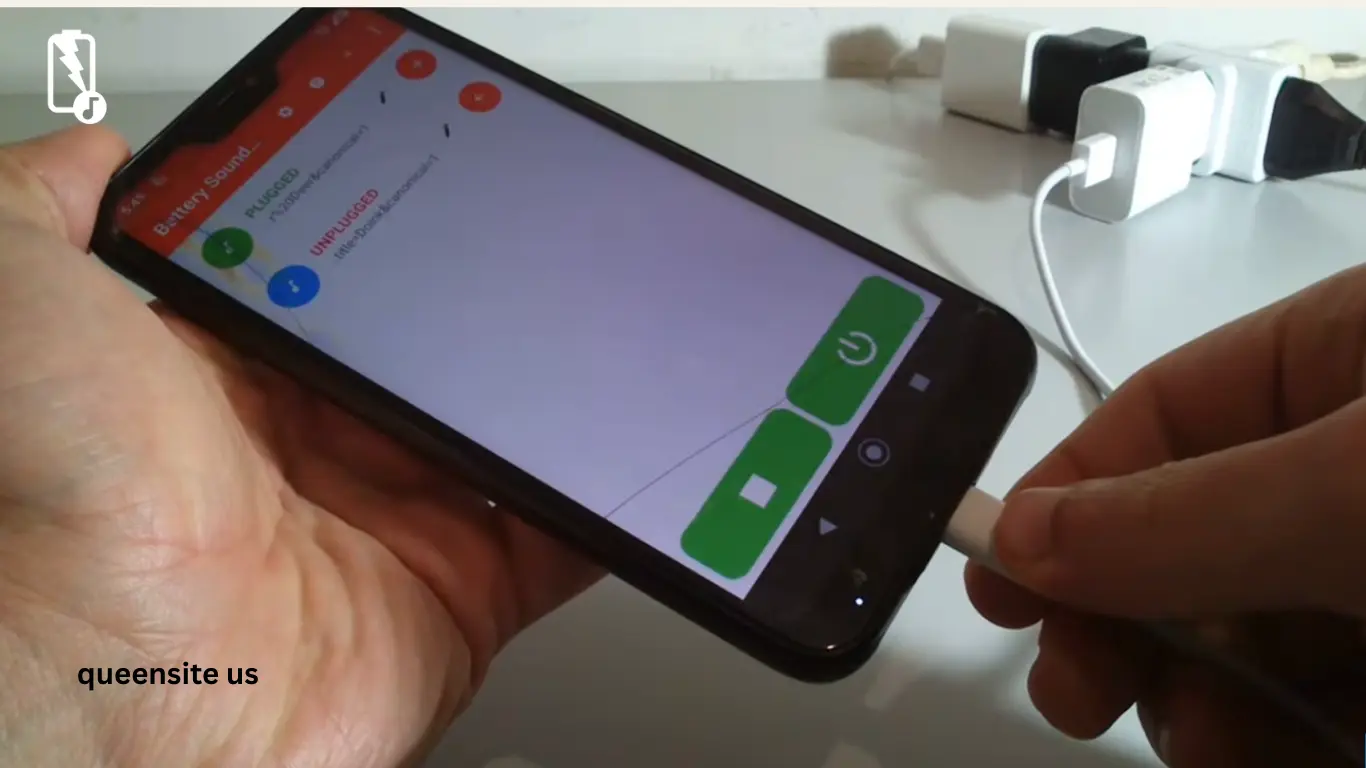
Hi friends. Today, we are going to talk about mobile charging tricks. Let’s understand this clearly. When charging a mobile, everyone charges it like the one in the picture. When charging like that, all brands of mobiles — Realme, Redmi, and other brands — make different sounds and charging sounds. We don’t hear that sound. Then, what do they do when they come and say it works? They just connect the pin and leave it like that.
Battery Sound Notification App – Problem & Solution
If you see someone, they just connect the pin and leave it like that without turning on the main switch. When they come and check, the mobile doesn’t charge; they just get angry. Now, we have a good app to solve that problem. Let’s see the details of what the app is and what it does.
How to Download Battery Sound Notification App from Play Store
Before you start watching this app, go to the Play Store on your mobile. Go to the Play Store and type ‘ battery sound notification.’
If you type it, do you see it here? If you type it, it will come up. I came and installed it already, so it comes up and asks me to uninstall it and open it. Now, let’s go into our app and figure out how to make our charger come and connect, what sound it should give, and what sound it should give when it is removed from the charger. Let’s go into the app.
As soon as we go into our app, the app will come up and look like this. Did you see a plus icon there? Come and click on that plus icon. If you click, now come and connect the mobile—that is, when you connect it to our charger, what do you want to say? Do you see that it has ‘text to speech’? Do you see that it has ‘text to speech’? Come here and come and make a sentence.
Battery Sound Notification App Setup Guide (Tamil + English)
Friends, if you see now, when I come and connect the battery to the charger, I have come and made a sentence saying, “The mobile is now connected to the charger. “You can come and make a sentence as you wish. Now come and play it, but here is a triangle mark. Do you see that we can come and play it? We don’t need all that now; we can come and save it.
Also Read: Auto Redial App Tutorial – Easy Step‑by‑Step Guide
Set Disconnect Alerts in Battery Sound Notification App
Friends, now let’s make a sound when we connect our mobile to the charger. Don’t we want to make a sound when we disconnect it in the same way? When you disconnect it like that, you come and select ‘Disconnected.’ Did you see that ‘text to speech’ is there in the same way? Go to ‘Text to speech,’ and whatever word you want to say when you disconnect it, you come and make a sound now.
Friends, if you see now, I came to disconnect and wrote, “Your mobile has been disconnected from the charger.” Come on, let’s save it. If you save it, this will come to our connector, and we will write a word when we come to disconnect.
Extra Features of Battery Sound Notification App (Full Charge, Low Battery)
Now let’s see how it comes about and is used. After all the settings are done, immediately turn on the switch of this app. Turn it on and see. Now see what word we have used to connect and disconnect; that is what our phone will say now. Let’s see.
Friends, look now, I am going to connect to the power bank.
Friends, did you see? Now when we come and connect to the power bank, what word do we use to connect to the power bank? That word comes and speaks. Now I am going to disconnect from the charger; I am going to disconnect that charging cable from the power bank.
(In audio: “Your mobile has been disconnected from the charger.”)
Have you seen friends? Not only what we say when we connect, but also what word we make when we disconnect; it comes and speaks now.
Not only that, if you see this mobile and press the plus icon and it becomes ‘Full Charge’ or ‘Low Battery,’ you can also come and set it. Not only that, but did you see that there is an audio file? If you see that audio file, you can set the ringtone and text-to-speech—if you see this ringtone, you can also set it as your mobile ringtone. If you see this text to speech, our speech comes, and we can come and make it into a sentence, friends.