Introduction
Did you know you can turn your iPhone into a real-time Walkie-Talkie? Whether you just unboxed a new iPhone or you’re a long-time iOS user, the right apps make all the difference. We’ve curated a list of 10 amazing iPhone apps that are incredibly useful, unique, and—most importantly—completely free.
The Top 10 List
1. Demos (Music App):
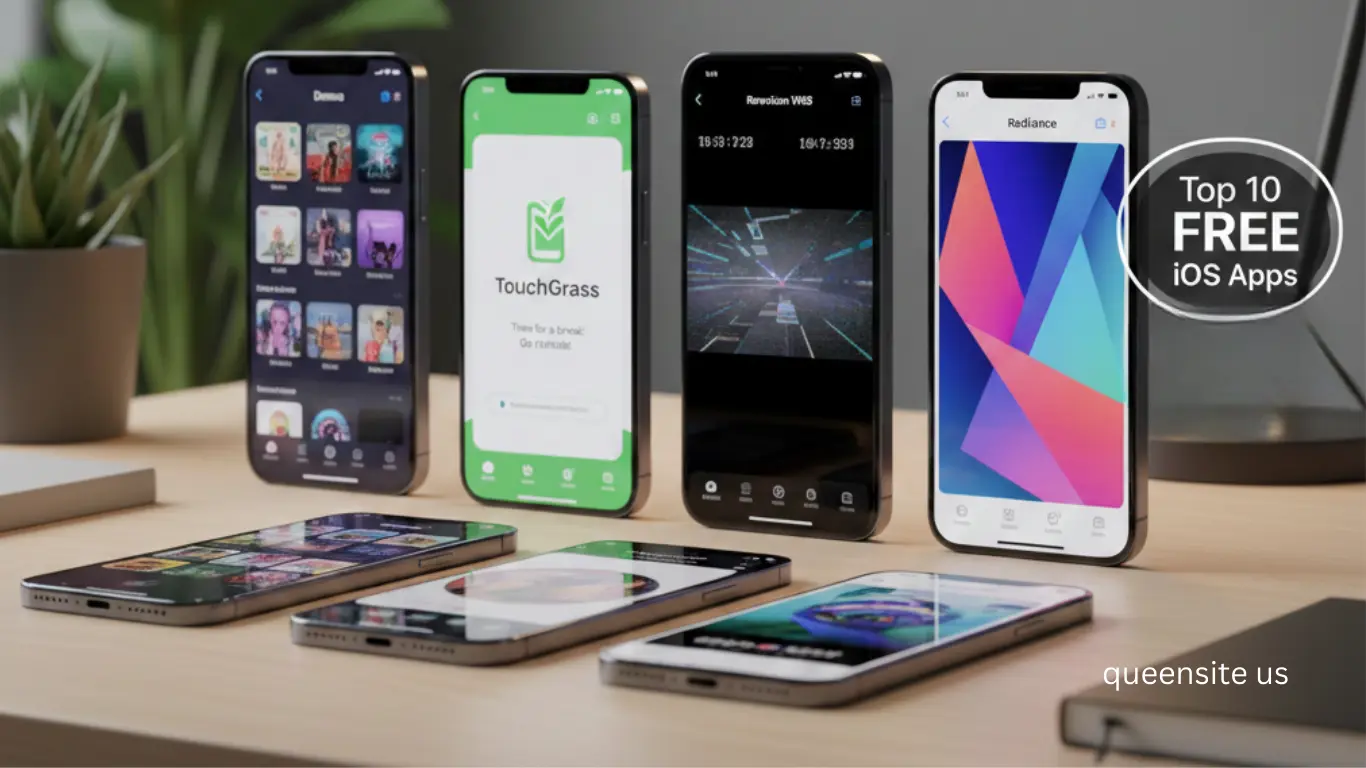
Do you love listening to music? Do you especially love listening to music for free? Or would you like it even more if downloading was also free? Well, I have an app for you; its name is Demos. I won’t say anything more, I think you’ve already understood. The link is in the description; go check it out. You will definitely love it.
2. TouchGrass (Phone Addiction):
The next app is the perfect app for those who are addicted to their phones. So, in your iPhone’s default settings app, you can set a time limit for different apps. Once you set that timer, you won’t be able to use that app after that time. But with this app called TouchGrass, if you set a time limit, it will only remove the time limit after you do something interesting. For example, when you set it up, you might select Instagram, saying, “This is an app I use a lot, and I don’t want to use it so much.
” After that, you can set a break – a small break or a medium break. So, after that small break is over, if you try to use the app, you won’t be able to use it directly. Do you know what the app will say? It will tell you to go to a nearby garden, and if there’s grass, take a picture of the grass and then upload it. It will actually verify whether it’s a real photo or not, and only then will it allow you to use the app. If you do things like this, your app usage and phone usage time will definitely decrease. When Arnav tried it, he immediately uninstalled the app.
If you don’t want grass, you can even choose sand or snow. But where do we have snow in our country? By the way, this is not completely free; it also has a paid tier. In the free version, you can only set up two apps.
3. Rarevision VHS (Retro Video):
If you were a 90s kid, there’s a unique pleasure in watching wedding videos on a VHS tape. If you’re looking for that pleasure, you can do it on your iPhone with the Rarevision VHS app. And the video will look like this. If you want to shoot with this VHS filter, this app is completely free. And with this, you can create that retro look. Not only that, you can also use filters similar to the grains that appear on VHS tapes. It’s very, very cool, try it out. By the way, there’s also a paid tier, which gives you different filters.
Do you know what I like about this app? The old-school camcorder menu UI, they’ve recreated it exactly like that. Just look at the play button, it looks really cute.
4. UniConvert (All-in-One Converter):
You don’t need to download separate apps for converting PDFs, generating QR codes, scanning documents, and converting units. Using this one app is enough. The name of this app is UniConvert. It’s a completely free app, try it out. I really, really like it, it has a simple UI and you can convert easily.
5. Radiance (Wallpaper App):
There are many wallpaper apps on the iPhone. Do you know which wallpaper app we recently liked? Radiance. Do you know the main reason for this? The wallpaper quality is amazing, and the designs are really, really good. But most importantly, it’s a completely free app. You don’t need to pay a single penny for this, which is very nice. There isn’t even a paid tier. I have an app called Vellum, and I really like it. It’s actually an old app; I’ve been using it since the iPhone 7 and iPhone 8 days. But even in that app, you’ll find that some wallpaper sets are paid. So keep that in mind.
6. Clipboard (Keyboard Tool):
So, many times you give out email addresses, your physical home address, or phone numbers from your phone. How would it be if there was a tool to easily access all of this? We’ve found one; the app’s name is Clipboard. Basically, if you install this, the iPhone will recognize it as a keyboard app. But there’s no keyboard in it. When you’re typing, if you tap this button, it will directly switch to the Clipboard app, and from that Clipboard app, you can directly copy and paste anything you’ve saved there. As you know, there’s no default clipboard on the iPhone. So, you can use this app and actually use it as a clipboard.
7. Simple Did I Do (Reminder):
The next app is called Simple Did I Do. You might have guessed from the name itself that this is a basic reminder app. But it’s the most basic reminder app, and I actually really like it. Set the widget of this Did I Do app on your home screen. After setting it, if you’ve completed the task you’ve set, there will be an option ‘Did I Do or Not’, just click on that, and it will immediately show the task as completed. Not only that, you can even add photo verifications. For example, if I set a reminder to water the plants, I can add a verification photo of watering the plants to it. Really useful.
8. AllSight (Multi-Camera Recording):
Do you know what one limitation of the iPhone is? Yes, you can now do dual recording with the iPhone 17 series. But if you ask if you can shoot with two cameras simultaneously – for example, with two lenses – the answer is no. Obviously, you can’t.
But you can actually do it with this AllSight app. So, if you want to record 4K videos using this AllSight app, you can use different combinations like the front camera plus the rear camera, or the rear camera plus the ultra-wide-angle camera, or the ultra-wide-angle camera plus the telephoto camera – you can record videos using these different combinations. It will capture with two cameras simultaneously and save it to your photos feed. If you drop it to 1080p, it will record with three cameras at the same time. It’s so cool.
9. Albo (AI Reels Organizer):
The next app is Albo, and this is one of my favorite iPhone apps. So, if you’re watching Reels on Instagram, they’ve given an option to save those Reels. You can even create playlists, and you can also create collaborative lists. Which is nice. But after you set up this Albo app and save things in it, you’ll get extra features. For example, of course, you can create multiple lists, and you can create collaborative lists – that’s okay, Instagram also provides that.
But this app uses AI to automatically categorize everything. For example, if you’ve saved places where you can get good biryani, it will put all those reels in the food category and categorize them automatically. How cool is that! In fact, after this app came out, I never had that feeling anymore – “Oh, I saw a reel, I saw a recommendation, a movie recommendation, where is it?” Now I save everything in it. It’s a super useful app.
10. Buzz (Walkie-Talkie):
And finally, the walkie-talkie app I mentioned initially—its name is Buzz. Try it out; it’s a simple app. It works like a walkie-talkie. If someone else has an iPhone, you can use it like a walkie-talkie with them and have fun. Oh, by the way, this app is also available on Android. So, it’s not necessary to have an iPhone. And it’s free, completely free.