Introduction
We usually lock Screen our mobile with a password. To protect some of our personal information, such as photos, videos, documents, audios, etc., we use a password. What are the security methods?
- Pattern lock
- PIN lock
- Fingerprint lock
We use security methods like this. Everyone knows this password. But what if we could unlock our phone with a signature without all these?
There is an interesting app for that.
Gesture Lock Screen App
To use this signature unlock feature, you need to install an app.
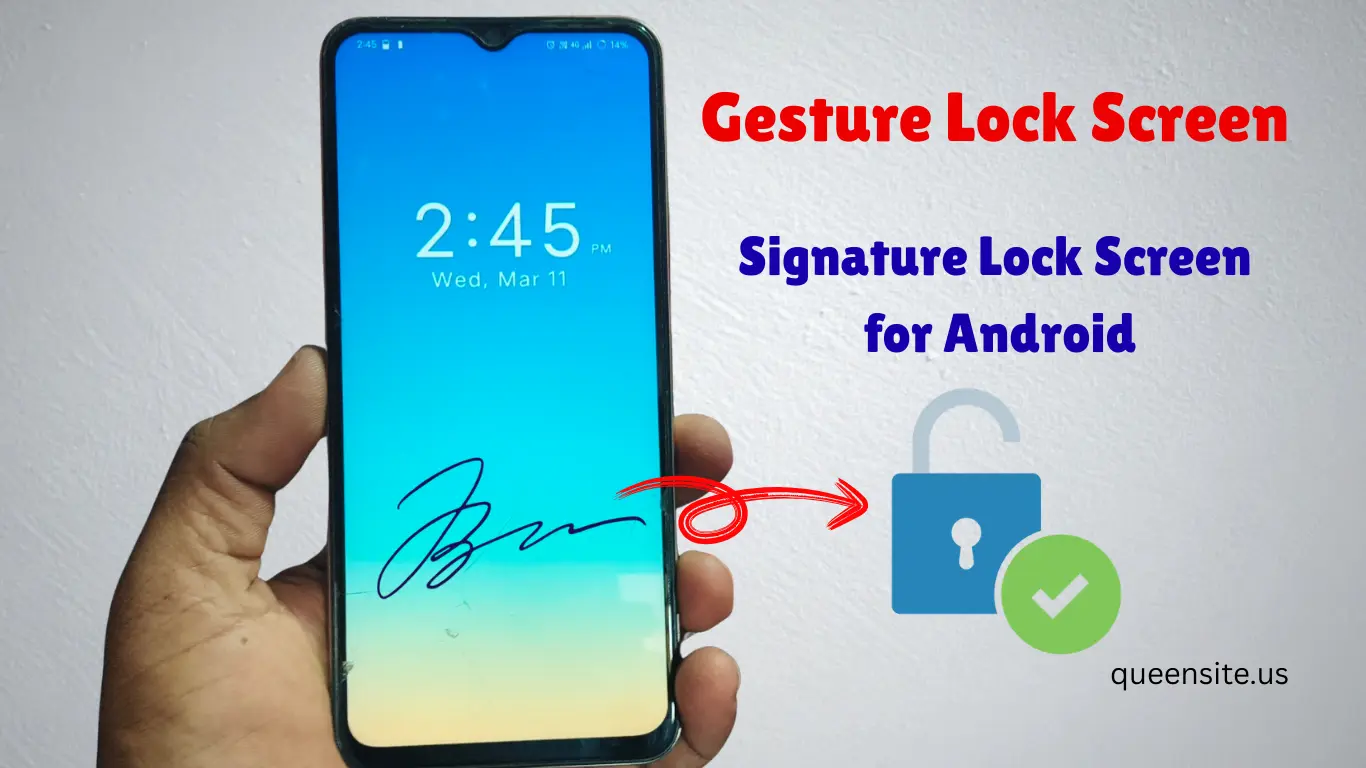
With this app, you can unlock your mobile by drawing a signature on your mobile. This will be very secure.
- How to Setup Gesture Lock Screen App
- Now open the Play Store on your mobile.
- Type Q Locker or Gesture Lock and search for it.
- First Gesture Lock Screen This app comes and click on it
- Install the app and open it
After opening the app:
It will ask you to create your signature
You can draw your desired signature
Backup Security Option
Sometimes what to do if you are unable to draw the signature properly?
For that:
- PIN password
- You can use pattern lock.
Backup option is given.
Accessibility Permission
For the app to work properly:
Accessibility permission
Other required permissions
You need to enable.
Customization Options
This app has many customization options:
Theme Colors
You can change the lock screen color.
Create new theme You can change the time, position Format, font, color, Date , AM/PM, Text Add in the theme as you wish.
There are curated themes and you can set the theme you want by looking at the ad.
Unlock Screen Editor
You can customize the screen design where you write the signature.
Custom Text Message
A message will show on the lock screen.
Example:
- Welcome
- My Phone
- Do Not Touch
Wallpaper
You can set your favorite wallpaper.
- Download online wallpapers.
- Local wallpapers
- Gradient wallpapers
Fingerprint Support
If your mobile has a fingerprint sensor
- Fingerprint unlock
- Signature unlock
- Time Password
- Door lock Screen
- Intruder selfie Unlock
You can enable it.
Sounds
- Lock Sound
- Unlock Sound
- Error Sound
- System Sound Settings
You can set the sounds in this.
Unlock animation
- Fade out
- Slide out Left & right
- Slide out down & up
- Back out up & Down
- Back out left & right
- Bounce out down & up
- Bounce out left & right
- Zoom out Left & right
- zoom out up & Down
Also Read :
- Pika Super Wallpapers App – Super Live Wallpapers For Android
- Thervu Kalam App Tamil Nadu Government Exam Preparation App
- mParivahan App: How to Check RC Book and Driving License Online
Extra Features
This app has some more options:
- Background customization
- Unlock animations
- Themes
So we can set the lock screen stylishly.
Pro Version
This app also has a Pro version.
Pro version benefits:
- Ads are removed
- Extra features are available
How the App Works
- Lock the phone
- Lock the screen opens
- Draw your signature
The signature matches exactly but the phone unlocks. Otherwise, the mobile cannot be opened. The next step is to click on the pin password and enter the password to unlock.
Pros & Cons
Pros
- Unique signature lock feature
- Stylish lock screen design
- Backup PIN security option
- Custom themes and animations
Cons
- Free version has ads
- Low-end phones may lag
- Battery usage may be slightly higher
Conclusion
This app is a good option if you want to use a unique lock screen for your phone.
Signature lock feature will give your phone a different look than others.
FAQ – Gesture Lock Screen App
What is Gesture Lock Screen App?
Gesture Lock Screen is a security app for Android phones that uses a signature to unlock the screen. In this, you can draw your signature and unlock the phone.
Is Gesture Lock Screen App free?
Yes, this app is available in a free version. But the free version may contain ads. You can upgrade to the Pro version to use it without ads.
How to setup Signature lock?
To setup Signature lock:
- Install and open the app
- Create your signature
- Set a PIN or pattern for backup security
- Enable the necessary permissions
After this, you can unlock the phone with a signature.
What to do if Signature unlock does not work?
If the signature does not match correctly:
You can unlock the phone using a backup PIN number
or pattern lock
Is there fingerprint unlock support?
Yes. If your phone has a fingerprint sensor:
- Fingerprint unlock
- Signature unlock
You can enable both.
Is Gesture Lock Screen App safe?
Generally, it is safe to download from the Google Play Store. It is a good idea to check the permissions when installing the app.