You can earn money from home through Google Pay. My greetings to all the Tamil hearts connected through the Tamil language.
What is Digital Gold in Google Pay Gold Locker?
In this post, we are going to see how to earn money through Google Pay. When I say earning through Google Pay, there are no complications like sharing the app, getting others to install it, or making them transfer payments. We are going to earn money very simply through Google Pay by buying and selling gold.
I don’t think that you need to invest a large amount of money when I say buying and selling. In Google Pay, you can invest as little as one rupee to buy and sell gold. You can invest as much as you can and earn profits accordingly.
You might have another doubt; you might ask if buying and selling gold is like a trading app where you might or might not get your invested money back. Absolutely not. In the case of trading apps, you will get your invested money back only if you make a significant profit; otherwise, you won’t even get your initial investment back.
Why Invest in Digital Gold on Google Pay?
This is just like buying gold from a shop normally. You are going to buy gold digitally, that’s all. You buy gold from a shop and sell it when the price of gold increases or when you need the money. We are going to do the same thing here. We are going to buy gold, and we can see the price at which we are buying it. After that, you’ll see that the price is displayed, and it’s up to you whether you want to buy or not. There are no restrictions like having to buy or sell within a specific time frame. You can buy whenever you want and sell whenever you want; it’s entirely your choice.
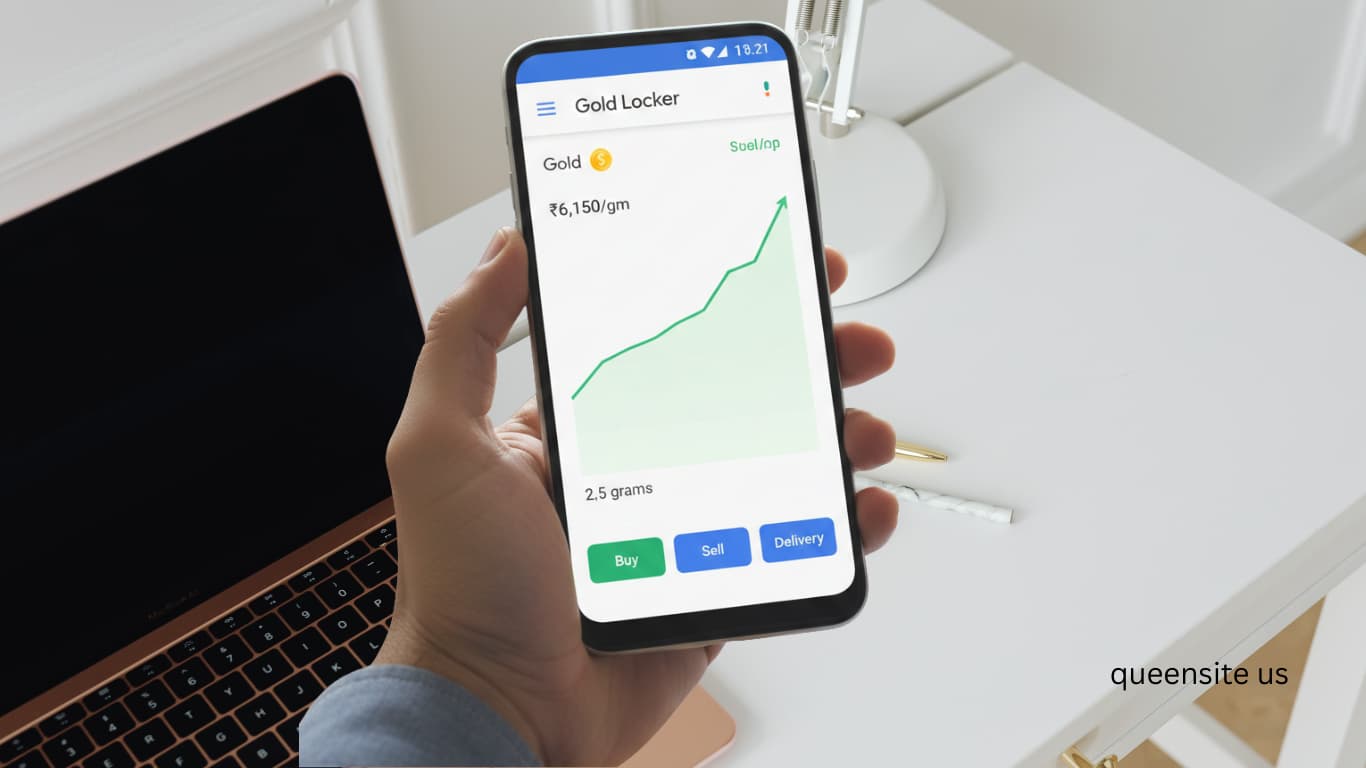
With Google Pay, there are no forms to fill out or any formalities required to buy and sell gold. It’s very simple. I’ll show you how in this post. In addition, there are three options provided:
- Buy
- Sell
- Delivery
What this means is, in addition to buying and selling this gold, there’s another option. If you need it, 24-karat gold can be delivered to your home. That’s what the delivery option is for. You can buy it that way too. You can even have the profits you earn from your investment, along with the principal amount, delivered to your home as physical gold when needed.
Procedure (Steps):
First, you need to open Google Pay on your mobile. If you don’t have Google Pay yet, install the Google Pay app and register. I have provided the link to this app in the description below. If you click on that link, install the app, and then enter the referral code that I have also provided in the description, you will receive between 50 and 100 rupees. In addition, you will also get numerous offers.
Now, those who already have GPay can open it, and others can install and then open it. Once you open GPay, you need to swipe down. At the bottom, you will see an option called Gold Locker. You don’t need to do anything else. Just click on this Gold Locker.
This shows the gold I have already bought and sold. As you can see, I bought it for 501 rupees. Now, I have sold it for 512.44. Similarly, lastly, I bought it for 1001 rupees. This is what I haven’t sold yet. The reason I haven’t sold it is to check if I bought it when the price was high. I will only sell it when the price is even higher.
Now, you will see three options at the bottom: Buy, Sell, and Delivery. I will explain each of these. To see the current gold rate, look at the top. Today, the gold rate is 5 rupees 49 paise per mg (milligram). This price includes tax.
Currently, I have 176.6 milligrams of gold. That’s what is shown here. Now, for you, we are going to look at the options at the bottom. First, let’s look at buying gold. Buy it on the day the rate is low here. And when the rate is high, you can come here and sell it, and then you will get a lot of profit. As you can see, today it’s at 5 rupees and 49 paise. There have been days when it dropped even lower, to 4 rupees, 4 rupees 55 paise, and so on. If you had bought it on those days and sold it at this rate, you would have made a huge profit.
Now I’ll show you how to buy. So just click on ‘Buy.’ When you click on ‘Buy,’ they have given options for 201 rupees, 501 rupees, and 1001 rupees. But you can even buy it for 10 rupees. I have now entered 10 rupees. If you look at how much you get for 10 rupees, you get 1.8 milligrams. Let’s purchase this now. There’s nothing else; just click on this. After clicking, do what you normally do when you make a payment using Google Pay. If you enter the code now, the payment will be processed. I’m entering the code now.
That’s it; 10 rupees has been deducted. If you want to see where it is, it will be in your Gold Locker. I have bought 1.8 milligrams for 10 rupees. It’s in processing. Once the processing is complete… So, you can see here that it has changed. I now have 178.4 milligrams in my gold locker. [Top 5 Passive Income Apps for 2026].
So now we have seen how to buy. Now let’s see how to sell this. Click on ‘Sell.’ Don’t sell immediately after buying; you’ll incur a loss. Always remember, the buying price and selling price are different. As you can see now, if you sell today, you will get only 5 rupees 15 paise per milligram. But the price we bought it at was 5 rupees 49 paise. You should only sell when the price is high. I’m just showing you a sample by selling today.
When selling, you shouldn’t enter the amount in rupees; instead, you need to enter the quantity of gold you have in milligrams. I’m now selling 1 milligram. The price for 1 milligram is 5 rupees and 15 paise. Similar to buying, click on this. After clicking, click on ‘Sell Gold.’ Now, this money will automatically be credited to your account. You don’t need to do anything. Simple steps. As you can see, the money has been sent. 5 rupees 15 paise has been sent to your account. And the gold quantity here has also decreased by 1 mg.
This is how you should buy, and this is how you should sell. When selling, always sell when the rate is high. Otherwise, only if it’s urgent, that is, only if you absolutely need to withdraw the money you’ve invested, then you can sell and take that amount.
Now, next, as I already told you, there’s this ‘Delivery’ option. You can even have the gold delivered to your home. If you click on that, it will ask for your PIN code. If you enter your pincode and click next, it will ask for your address. After that, if the amount of gold you want costs more than the money you have, you can pay the extra amount and have the gold delivered. Or, if you want to buy gold with the money you have earned, you can purchase it from here. I’m not giving a delivery order right now.
This is a very simple method. The money you invest here will not be shown anywhere else. You can open Google Pay and click on this Gold Locker, and you will see the money you have invested at the top. That is, you can see how much gold you have bought at the top. Check the buying and selling rates before you buy or sell.
Now, I think you would have clearly understood how to buy and sell gold on GPay or how to get the gold delivered to your home. If you have any further doubts, please let us know in our comments section, and I will clarify your doubts.